How to Create a New Crypto Wallet: Step-by-Step Guide for Beginners (2025)
With the rise of decentralized finance (DeFi), NFTs, and crypto trading, having your own crypto wallet is no longer optional — it’s essential. Whether you’re a beginner or planning to explore the Web3 ecosystem, this guide will walk you through how to create a new crypto wallet step-by-step, safely and easily.
Plus, if you’re ready to start trading and earning with your wallet, don’t miss out on a $30,000 signup bonus from Bybit.
👉 Sign up on Bybit here to claim your bonus
Disclaimer: This article is for educational purposes only and does not constitute financial advice.
🔐 What is a Crypto Wallet?
A crypto wallet is a tool that allows you to store, send, and receive cryptocurrencies. But more importantly, it lets you interact with decentralized apps (dApps), earn airdrops, trade tokens, and store NFTs securely.
There are two main types of wallets:
- Custodial Wallets: Controlled by a third party (like Binance or Bybit)
- Non-Custodial Wallets: You control your private keys (like MetaMask or Trust Wallet)
In this tutorial, we’ll focus on non-custodial wallets since they offer more flexibility and direct access to DeFi and Web3.
🧰 Tools You’ll Need
Before creating your wallet, make sure you have:
- A laptop or smartphone
- An internet connection
- A secure place to store your seed phrase (paper, metal backup, or offline password manager)
🧱 Step-by-Step: How to Create a New Crypto Wallet
🦊 Step 1: Choose Your Wallet Type
Here are some popular options:
- MetaMask (Ethereum, BNB, Arbitrum, etc.)
- Trust Wallet (Multi-chain, mobile-friendly)
- Phantom Wallet (Solana-focused)
- Binance Web3 Wallet (Native inside Binance app)
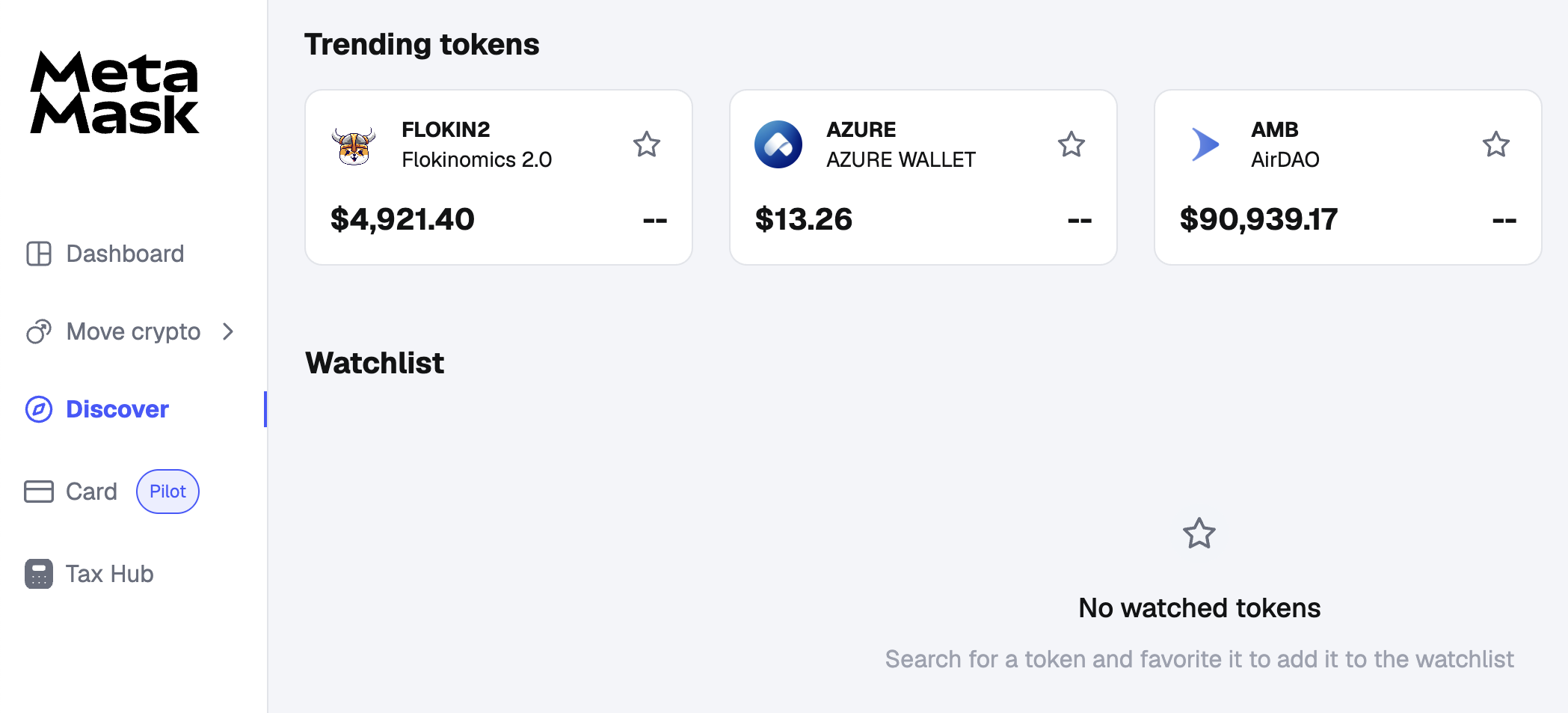
For this tutorial, we’ll use MetaMask as an example — one of the most trusted wallets for DeFi and NFT users.
💻 Step 2: Install MetaMask (Desktop or Mobile)
For Desktop (Browser Extension):
- Go to https://metamask.io
- Click “Download for Chrome” (or Brave/Firefox)
- Install the extension and pin it to your toolbar
For Mobile:
- Open the App Store or Google Play
- Search for MetaMask
- Install the official app by Consensys Inc.
📌 Important: Only download from official sources to avoid phishing scams.
🔐 Step 3: Create a New Wallet
- Open MetaMask and click “Create a Wallet”
- Choose whether to share anonymous usage data (optional)
- Set a strong password (at least 8–12 characters with symbols)
- Write down your Secret Recovery Phrase (12 words)
📌 This phrase is your master key. Anyone with access to it can control your wallet. Never store it online or share it with anyone.
Pro Tip: Write your seed phrase on paper, laminate it, or use a metal backup for long-term durability.
🧪 Step 4: Confirm Seed Phrase & Access Wallet
After saving your seed phrase, you’ll be asked to re-enter it in the correct order to confirm.
Once done:
- You’ll enter your wallet dashboard
- You’ll see your first account address (starting with 0x…)
Congrats! 🎉 You’ve just created your first crypto wallet.
🌐 Step 5: Add Networks (Ethereum, BNB, Arbitrum, etc.)
By default, MetaMask supports only Ethereum. But you can add other networks:
- Click the top-center where it says “Ethereum Mainnet”
- Click “Add Network”
- Manually enter network details or visit https://chainlist.org
- Connect and add networks like:
- BNB Smart Chain
- Polygon
- Arbitrum
- Optimism
This allows you to use dApps and tokens across multiple blockchains.
💸 Step 6: Fund Your Wallet
Now that your wallet is live, you can fund it by:
- Copying your wallet address (e.g., 0x123…abc)
- Going to your crypto exchange like Bybit
- Withdrawing ETH, BNB, USDT, or other tokens to that address
Don’t have an account yet?
👉 Sign up on Bybit now and get up to $30,000 in signup bonuses
Once the transaction is confirmed, your balance will show in MetaMask.
🧩 Step 7: Use Your Wallet
Now you’re ready to explore:
- Swap tokens using DEXs like Uniswap or PancakeSwap
- Stake tokens to earn passive income
- Connect to dApps like OpenSea, Aave, or LayerZero
- Join airdrop campaigns and earn free tokens
Each time you use your wallet, MetaMask will ask for your confirmation — giving you full control.
🛡 Pro Tips for Wallet Security
Creating a wallet is easy — but keeping it secure is critical. Follow these best practices:
✅ Do:
- Back up your seed phrase securely
- Use a hardware wallet for long-term storage
- Double-check dApp URLs before connecting
- Revoke permissions regularly using https://revoke.cash
❌ Don’t:
- Store your seed phrase in Google Docs, email, or cloud storage
- Share screenshots of your wallet online
- Approve unknown or suspicious smart contracts
- Fall for “support” scams in Telegram or Discord
🚀 Bonus: Why You Should Use Your Wallet with Bybit
After creating your wallet, you’ll want to buy, trade, and transfer tokens. Bybit is one of the best platforms to fund your MetaMask or Trust Wallet, with features like:
- Zero-fee trading campaigns
- Launchpad token sales
- Crypto staking and earn products
- Web3 integrations and NFT marketplace
📈 Ready to get started?
👉 Join Bybit today and claim up to $30,000 in signup bonuses:
https://partner.bybit.com/b/bitfarmfi
Bybit + MetaMask is the perfect combo to maximize your crypto journey in 2025.
🧠 Final Thoughts: You Now Own Your Crypto
Congratulations! You’ve taken a major step in your crypto journey by creating your own wallet.
With your non-custodial wallet:
- You own your private keys
- You control your funds
- You can access DeFi, NFTs, airdrops, and Web3 freely
Whether you’re storing, trading, farming, or minting, having your own wallet unlocks the full power of blockchain.
Don’t stop here — start exploring, but always stay secure and informed.
👉 Ready to trade like a pro?
Sign up on Bybit now and get up to $30,000 in welcome bonuses:
https://partner.bybit.com/b/bitfarmfi
Disclaimer: This guide is for educational purposes only. Crypto is volatile. Do your own research and never invest more than you can afford to lose.